

Last Updated on May 11, 2021 by George Pavlopoulos
I found countless times myself regretting not speaking the language of the place I traveled to. Sure, learning a new language is not an easy task. I always want to chat with the locals, but unfortunately, I often can’t surmount the language barrier. Toucan, a free Chrome extension, promises to change that, and I’m already using it with pleasure. Toucan actually helps you learn a language while browsing the Internet.
As you already know, I never write reviews without a) enjoying a product and b) if I don’t use it for a while. The product has to offer value to my daily life, and only if I enjoy it, I share it with my readers. Toucan ticks all these boxes, and that’s why I decided to present it here.
That said, in this article, you will find my honest review about Toucan, and you’ll also see a tutorial. That’s how I use this browser extension and how I believe I can get the best results. At the end of this post, you will also see a short talk I had with Taylor Nieman, the CEO of Toucan.
So, let’s start with my Toucan extension review and tutorial.
Update: The guys at Toucan contacted me, and they offer 500 Premium Toucan subscriptions for free for the readers of Letters To Barbara. Follow the link, install Toucan and get 1 year for free.
*Some of the links are affiliate links.
What is the Toucan Chrome extension?
Toucan is a free Chrome extension that will help you learn a language with minimum effort. While other online language learning tools request your full attention, Toucan takes a different approach. After installing Toucan on your browser with just one click (I’ll show you in the tutorial how), it will help you learn a foreign language of your choice just by browsing. Sounds cool, right?
And here’s how it works. Whenever you visit a website, Toucan will pick up some words. Instead of showing these words in English, it will directly translate them into the language of your choice. These words are, of course, chosen by Toucan’s algorithm, and they fit rather natively in the text you’re reading.

Moreover, if you hover over each of the translated words (they’re highlighted as you can see above), you have the option to see their meaning and hear how they’re pronounced. You can save these words and revisit them.
What is the goal?
Apart from helping you familiarize yourself with a new language, Toucan’s goal is actually to help you learn a new language. It might be the language of a future destination or a language you were always curious to learn.
What it’s also important to state here is that this is not some random language software. As you will see in the tutorial below, Toucan has a solid base, and it has several ways to keep you motivated. For example, it sets a goal of showing you 500 translated words per day. And it will also give you small tasks to motivate you. It even has a feature called “Own the word,” where you can contribute new words and be part of an ever-evolving tool.
How many words can I expect to learn with Toucan?
Toucan claims that by showing you 500 words per day, you will learn 200 words per month. That said, you will be able to memorize, pronounce, and understand the meaning of these 200 words. Does it sound convincing to you?
It should. According to linguists, if you learn the 800-1,000 most frequently used words in English, you can understand 75% of the language spoken in everyday life. Another study, this time from the Royal Spanish Academy, claims that the average Spaniard doesn’t use more than 1,000 different words per day.
All that said, if you do the maths you’ll see that within 4-5 months Toucan can help you learn the needed amount of words to communicate in a foreign language.
Is the Toucan Chrome extension free?
Yes, the Toucan Chrome Extension is free -and you can also install it on Safari. You can download it here for free, and you can start learning languages straight away. I suggest you sign up for a free account to save words and create a personalized dictionary.
Toucan also has a premium version which currently is on sale and comes with more bells and whistles. The most important feature of the premium version is, in my opinion, the possibility to translate sentences. This feature is also available on the free version but only for 20 sentences. Apart from that, you have unlimited access to games, and you can also set a super high density of the target language to appear in your text.
How many languages can I learn with Toucan?
With Toucan, you can currently learn seven different languages: German, French, Spanish, Italian, Portuguese, Korean, and Japanese.
Your source language will always be English. You have, of course, the option to switch languages. So, if you are learning German but you’d like to see how Japanese look, you can always switch.
All seven languages are available in both the Free and the Premium versions.
Toucan Tutorial: How to install it and how to use it effectively

So, in this section, you will see how to install Toucan on your browser -Chrome or Safari- and how to use it effectively for language learning. The installation part is very straightforward, and it just takes one click. The second part is more extended, and I explain how I use it.
How to install the free Toucan extension on Google Chrome or Safari
The process is straightforward:
- Click here to visit the official website of Toucan.
- On Toucan’s website, click the green banner “Add to Chrome for free” (or “Add to Safari for free” on a Mac).
- You will be redirected to the Chrome Web Store and there click “Add to Chrome.”
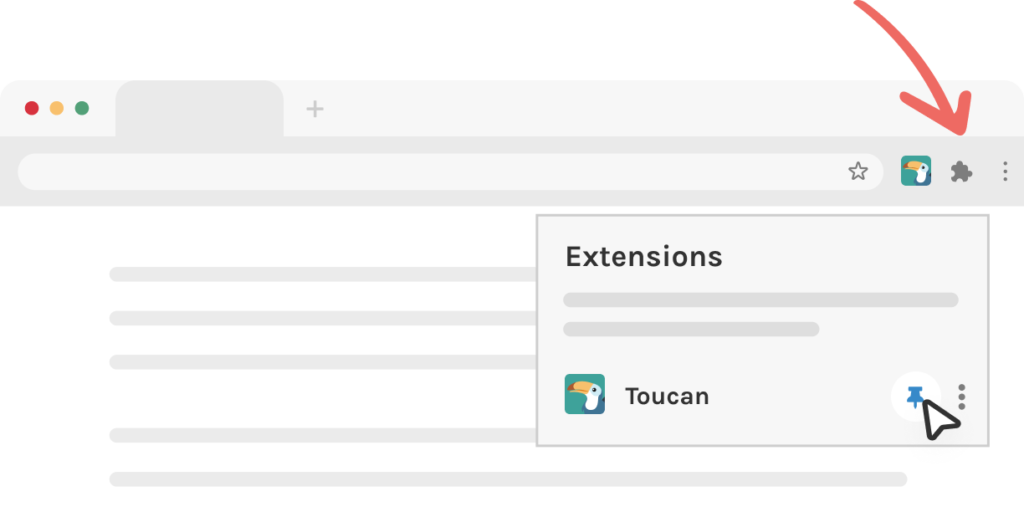
- Now, go to the extensions menu icon on the top right of your browser and pin it. See how to do it in the screenshot below.
- That’s it. Now you can start using Toucan to learn languages!
An additional step: Although it’s optional, I can only recommend creating an account. While you can use Toucan without one, it’s important to have an account for tracking your development and saving new words. You can also personalize your dashboard, use a dark mode for the highlighted words, get daily progress reports, and more. And, of course, you can upgrade your account if you want the extras. Create your free account here.
Toucan Tutorial: How to use it effectively for learning a new language
Now, although I started using Toucan for learning Italian, I thought of testing it with German. The reason is that I speak German, and I wanted to see how accurately the extension performs. If I dived into an unknown language, it would be tough to judge its capabilities. But using a language that I’m familiar with (German) helped me see Toucan’s performance and understand the way it works.
So, here’s how I use Toucan. First of all, I don’t change any of my daily online habits. I visit the websites I want, and I read the articles that interest me. For the examples below, I used two articles from Scientific American and The Atlantic.

Whenever you visit a website, you’ll more or less see what is presented above. Within the text that you’re about to read, there will be a couple of highlighted words. If you hover over any of these words, you’ll see info about them. You can listen to the pronunciation by clicking on the sound button, and you can save it to your account (that’s why you need one).
You can also click the tick button -it means that you know the word- and you can report an error -which is rare. Apart from that, you’ll also see the word’s meaning.

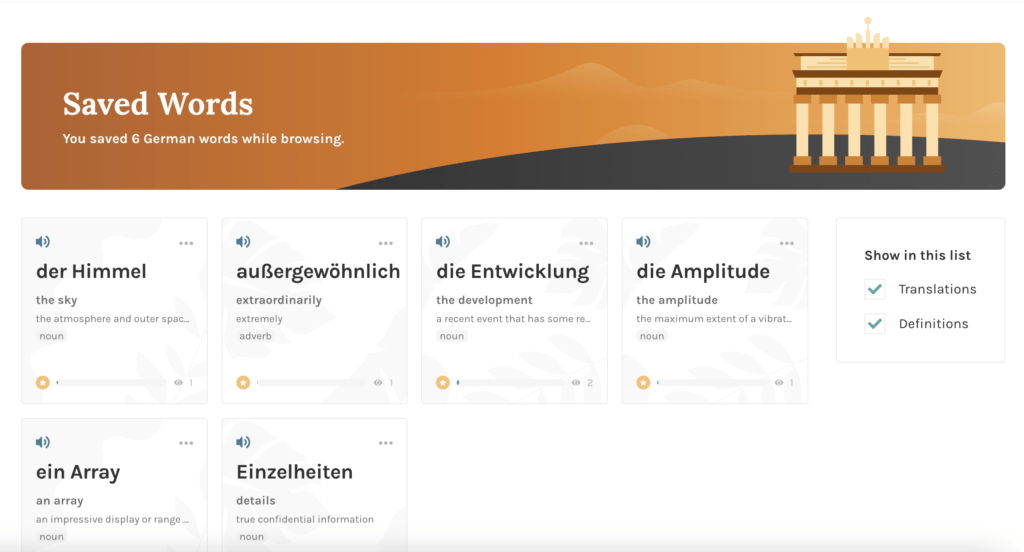
Now, in my case, for the words I found interesting, I used the save button. This function will add the new words to your account. There’s a dedicated section on your Dashboard called “Saved Words.” There, you can listen to them as often as you want, and you can see their meaning. A word will only be marked as learned if you see it 100 times, if you earn points in minigames or if you simply mark it as “learned.”
Here’s another example, this time from The Atlantic.
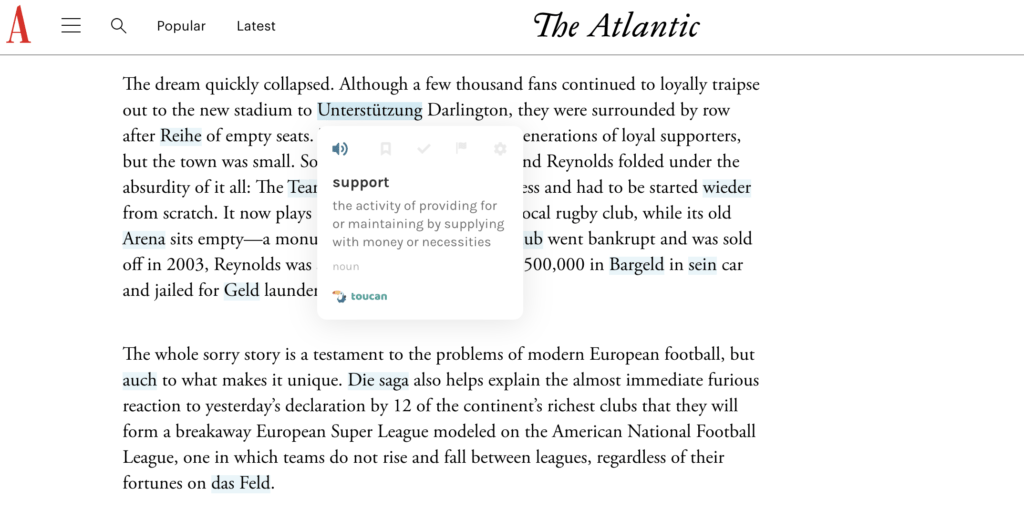
As you can see, the words fit natively in the text. You could probably understand them even without translation. And that’s what I think the biggest success of Toucan in the language learning process: it slowly familiarizes you with a language. For your information, the density is set here to Medium.
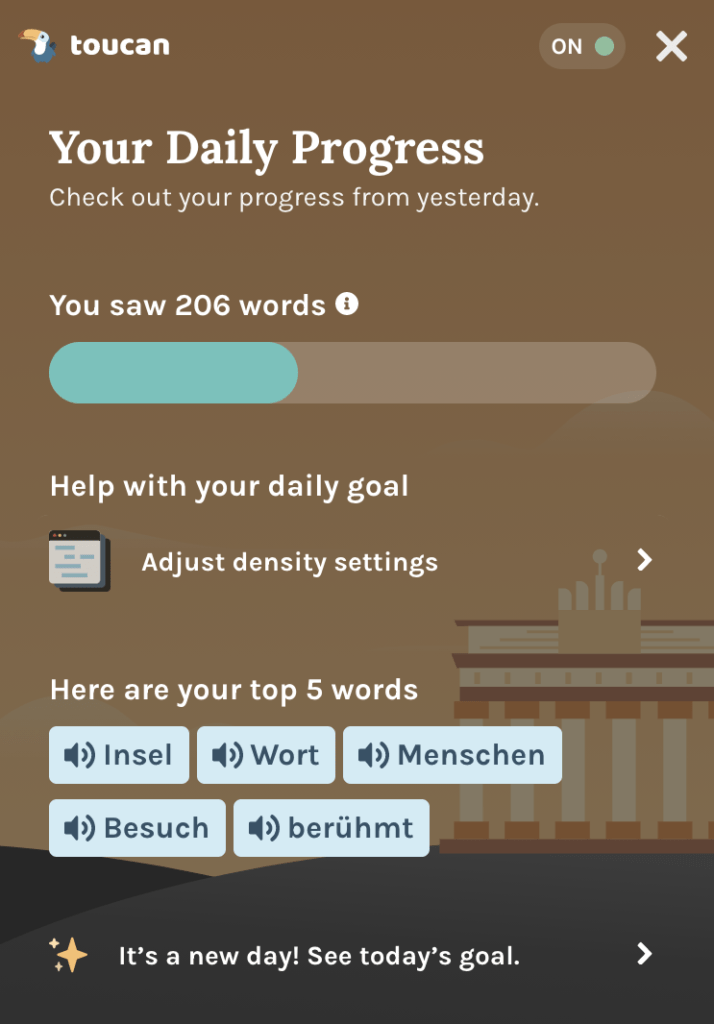
If you think you want less density, you can adjust it from your settings. Subsequently, you can have even more words by setting the density to High. In Premium, you can even have a higher word density. You can change all these settings from the Chrome Extension mark on the top right of your browser where Toucan’s logo appears. Just click on it and adjust it.
Toucan Premium
The Premium version of Toucan (it’s currently on sale for just 59.88$ per year) comes with great extras that will elevate your language learning experience.
Apart from setting the highest word density available, the Premium version of Toucan offers various games and the possibility to translate full sentences without limitations. Let’s see how all these perks look like.
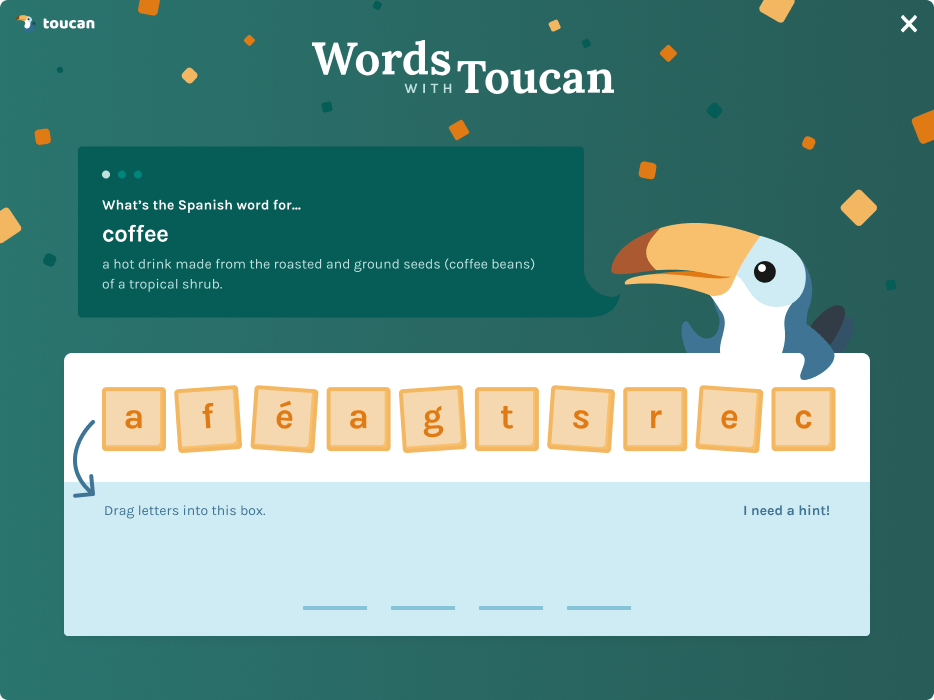
So, below you can see one of the games. You just have to drag letters in the empty slots and prove what you learned:
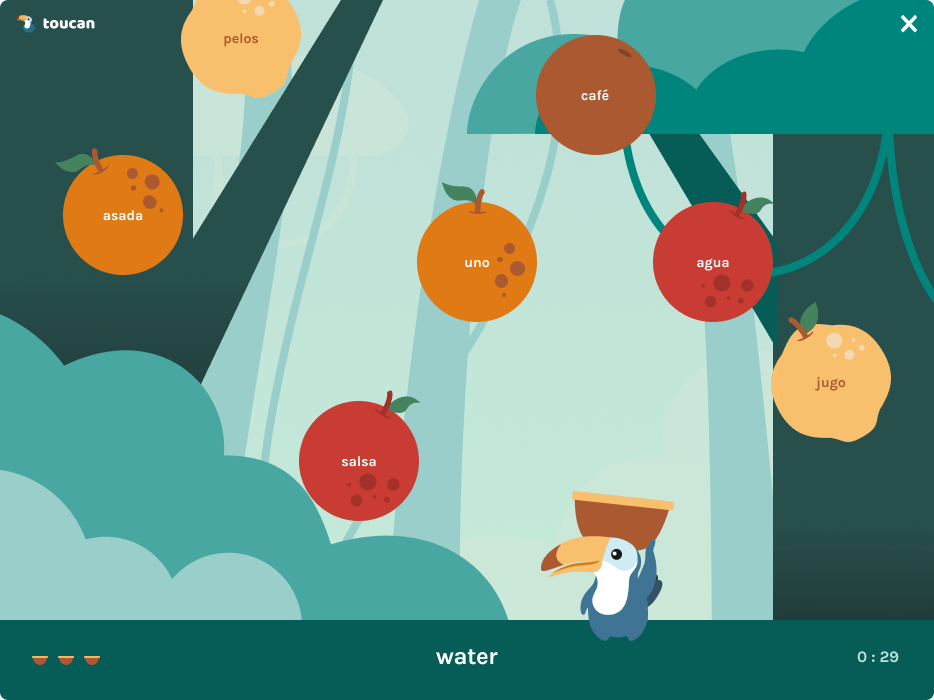
And here’s one more game—this time, you have to guess the right word.
Last but not least, one of the best features of Toucan Premium is undoubtedly the possibility to translate full sentences. In my opinion, that’s an excellent tool when you want to take language learning into your hands. Instead of relying exclusively on the highlighted words, you can also translate sentences that intrigue you. And here’s how it looks:

As you saw in the beginning, the guys at Toucan reached out to me after reading my tutorial, and they decided to offer 500 Premium Toucan subscriptions for free. Follow the link to Toucan’s official website, install the extension, create your account and enjoy your free upgrade.
For whom Toucan really is
Learning a new language is always a daunting and time-consuming task. Sure, it might not be for everybody. But for people with serious wanderlust or the ones with a hungry brain, every new language is a window to the world. I speak four languages, and I would love to speak even more. For me, language learning is one of the most beautiful things in life.
Why am I saying all these? Well, it’s because I want to encourage you to use Toucan effectively. Don’t see this wonderful Chrome extension as a passive way of learning languages online. It’s not. While you can catch a couple of words here and there, you’ll need to put in some effort daily to see results.
All that said, I see three categories of people that can really profit from Toucan. Depending on the level of dedication, it might also deserve to consider buying the Premium version. These three categories are:
People already learning a new language
If you are currently learning a new language, using Toucan is a must. It’s actually one of the best things you can do to expand your language knowledge. It doesn’t matter if you’re attending classes or using an online language learning program. Adding Toucan is the optimal way of staying in touch with the language all day long. You’ll see the words you already learned fitting naturally while browsing the news or your Social Media channels. If I were you, I’d install straight the free chrome extension, and I would even consider the Premium version.
People who are about to travel somewhere
Sure, your English knowledge will probably take you everywhere. But wouldn’t it be nice to ask a local for the time? Or to easily translate that street sign? Or even to have a small chat with a local and understand a few words? That’s how I use Toucan right now: I’m trying to learn Italian because I promised myself to travel to Italy soon.
Yes, I won’t be fluent anytime soon. However, it excites me that I might share a few words with a local or even understand the context when I overhear two guys talking. That said, for travelers willing to get a glimpse of the spoken language in an upcoming journey, Toucan is a sweet option. If you, like me, daydream the tiniest details of a future journey, Toucan can elevate your wanderlust levels.
People that are into different cultures but can’t travel right now
This third category refers to people interested in other cultures even if they’re not that much into traveling. I know that many people enjoy watching documentaries about distant places, while others enjoy watching foreign movies and Netflix productions. Maybe they won’t have the dedication of a traveler or the passion of language learners, but getting to know a couple of words might sound enjoyable to them.
So, if you always wanted to know what Fernweh or Saudade is, maybe it’s time to find out.
My opinion about the Toucan Chrome Extension
I must say that Toucan exceeded my expectations. The Toucan Chrome extension is an exceptional tool, both as a supplementary or a standalone one. I truly believe that lots of people can profit from it when they consider learning a foreign language. Honestly, I believe that for people already learning a new language, Toucan is a must.
While I would love to see more languages included, I must admit that the seven languages that it offers cover a big part of the world’s population. To travel somewhere and to be able to speak a few words might sound to some overestimated. For people like me, that local atmosphere and stories matter more than the sightseeing, it’s a must.
For a free tool, the features that it offers are valuable. And the fact that you can pause it for a day or two makes it even fairer. Sometimes you just want to read the news or browse without any distractions. Toucan is a discreet and faithful tool: you can use it wherever you are and whenever you want. And it will always help you improve your skills in a new language. Is there anything more to ask?
A quick interview with Taylor Nieman, CEO of Toucan

After discovering Toucan, I thought of asking a couple of questions to the people running it. I was happy that I didn’t receive a generic reply but an answer from the CEO. Taylor Nieman agreed to reply to a couple of my questions. If you would like to ask her something, please leave your question in the comments below.
Question: Hello Taylor, thanks for taking the time to reply to some questions. First of all, I’d like to know how (or why) you came up with this wonderful name for the language learning tool. Toucan sounds really exotic.
Taylor’s Answer: Thanks so much, George! I’m super excited to share more about Toucan. The following are some of the reasons why we named our company Toucan:
- Super cute mascot
- Toucans hover like our product does over the web
- “With Toucan, you can!”
- “Tou” sounds like “tu” phonetically, which is “you.”
- Birds travel all over the globe
- “Anemone” was too hard to pronounce
Q: Do you have any plans for a mobile version of Toucan? I think a lot of people would appreciate using Toucan on their smartphones.
A: Yes, we’re actively working on expanding Toucan to other platforms, including mobile. We’re very excited to meet people wherever they are throughout their day, and that encompasses mobile browsing as well as layered on top of the most popular messaging and social apps.
Q: So far, there are 7 languages to learn via Toucan. Do you plan to add more in the future? If so, do you have any plans to include smaller languages (like Greek, for example) as well?
A: In addition to Spanish, French, German, Portuguese, Italian, Japanese, and Korean, we’ll be launching many more languages this year. We’re in the midst of launching Spanish to English. We’re going to have 30+ language vectors, and the long-term vision is to open up to other content verticals. Greek is absolutely on our list, and we intend to offer as many languages as possible for our users.
Q: I see that more than 50,000 people are using Toucan. Do you have an inspirational success story regarding language learning to share with the readers of Letters to Barbara?
A: We’re growing very fast and are excited to have already crossed 65,000 active users. I’d love to talk about our amazing users who email us on a daily basis sharing their inspiring stories. They share about their most intimate moments communicating with their loved ones and how Toucan has helped them learn new words and sentences. For instance, we heard from a student about how he was reconnecting with his roots and has started speaking a little in Spanish with his Grandma after using Toucan. These are all inspirational success stories that we have the privilege of being part of. It inspires us to continue building Toucan to connect people through language learning in an unprecedented and simple way.
Thanks, Taylor!
Final thoughts
I’m happily using Toucan to learn Italian. It is a slow process -and a delightful one too. I know it’s a long way to cover, but the journey is rewarding. The prospect of a future journey to a country that I love excites me. Even if one day I can order an aperitivo in Italian would be a reason for joy.
Browsing online information for an upcoming journey is an integral part of traveling. Sometimes, I even think that the research before a trip is sweeter than the trip itself. Adding some local words to my vocabulary always fascinated me. So, expect to hear more of my impressions about Toucan soon. Ciao, for now, I’m going to learn some Italiano while browsing the web.
Download here the Toucan Chrome Extension for free
More reviews: KeySearch, Bluehost
Pin it for later
Share this article with your friends if you enjoyed reading about the Toucan Free Chrome extension.
Thanks for the review, George. It seems like a really legitimate tool. Would love to learn some spanish, I always wanted to. Did it reall help you so far with italian?
Hey Dan,
Indeed, Toucan is a great language learning tool. I think you’ll have lots of success learning Spanish. In my case, learning Italian goes smoothly. I mean, I had no previous knowledge, and I didn’t even take classes. So, I really start from scratch. I see some improvement already, but I will update you in a couple of months. But what matters the most is that I really enjoy it, and the fact that the learning process is part of my daily online routine makes it even sweeter.
Best of luck!
George
This is really interesting. O_O Well done to whoever came up with the idea!
You need to look for the words carefully though, sometimes the translated word does not fit the context 100% (as in the Veranstaltung example).
Indeed, the idea is wonderful. As you mentioned, there are things to be improved in Toucan but overall is a very helpful tool. I find it accurate most of the time, but sometimes it can’t recognize the context. No matter what, Toucan is an excellent idea to bring you in touch with a foreign language.
Reading this after turning on Toucan for the first tip was a real trip.
Thanks for reviewing
Glad you enjoyed reading the article, Will. Enjoy Toucan!